Project journal
Mobile Application
Picky, a Flutter food-sharing application prototype that I developed myself, connecting account flows, location-aware posts, Firestore data, and mobile navigation.
- Where
- Mahidol University · ITDS283
- Project period
- Submitted April 2025
- My role
- Sole application developer
Turning the food-sharing idea into an application
I developed Picky myself for the Mobile Application project. The idea was to create an application for sharing surplus food, giving users an account, a way to create a post, a feed to browse, and a detail page to understand what is being offered.
My work covered the application implementation across those screens and the data behind them. The GitHub repository and Figma file are linked here so the implementation and design material can be explored together.
Inside the prototype
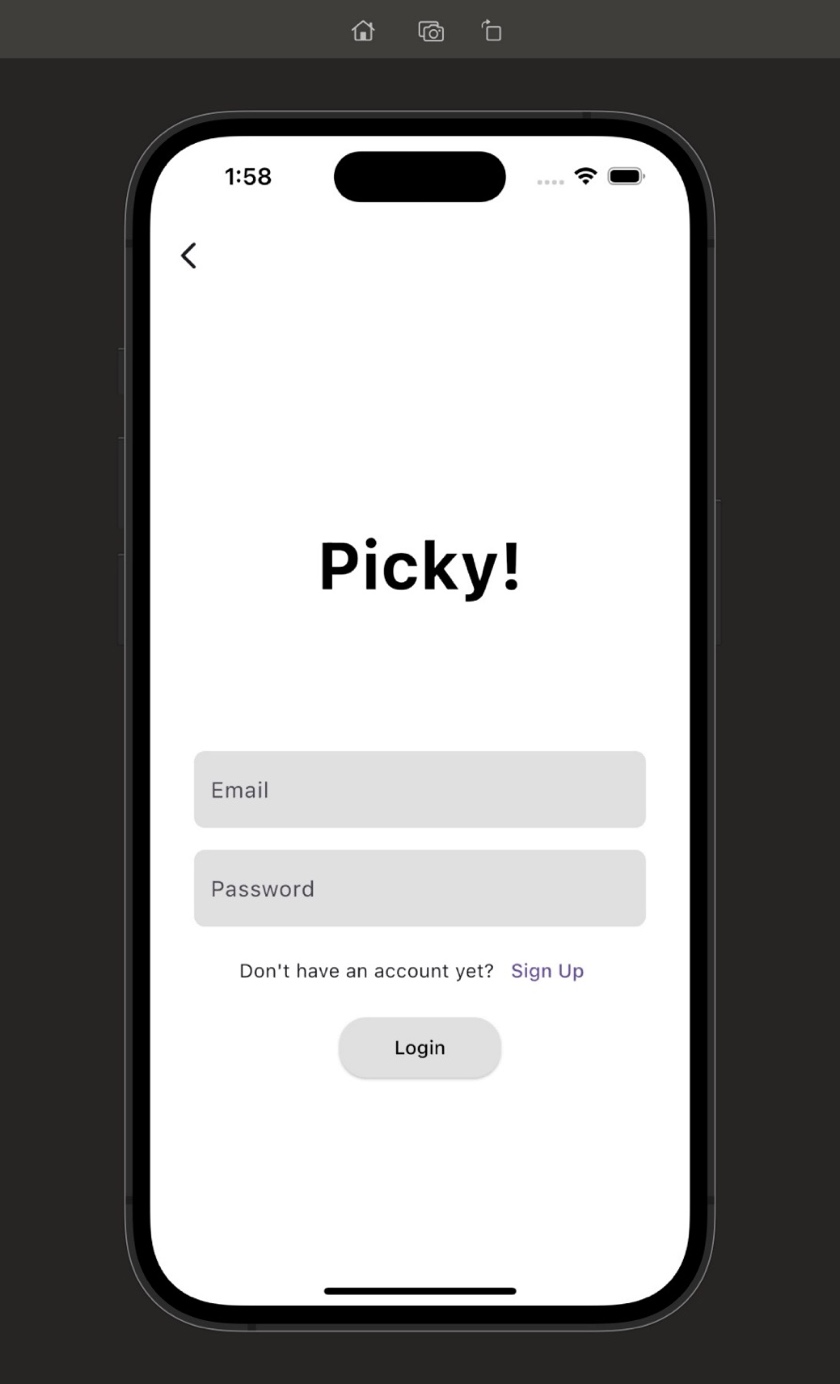
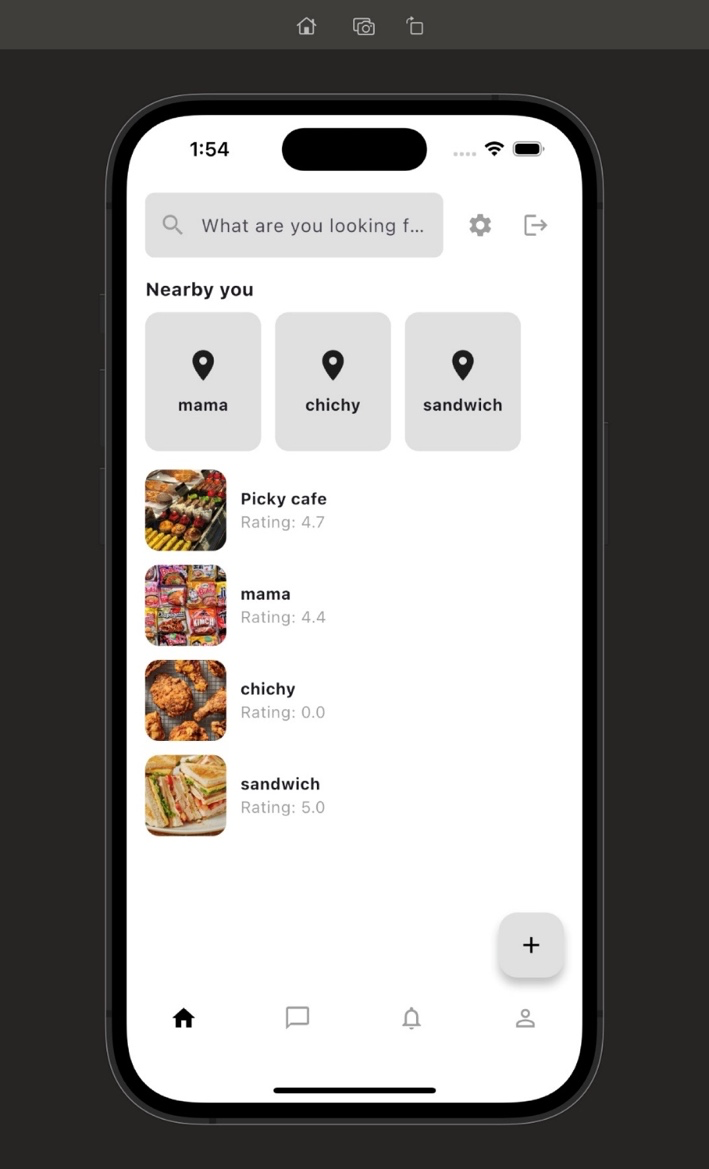
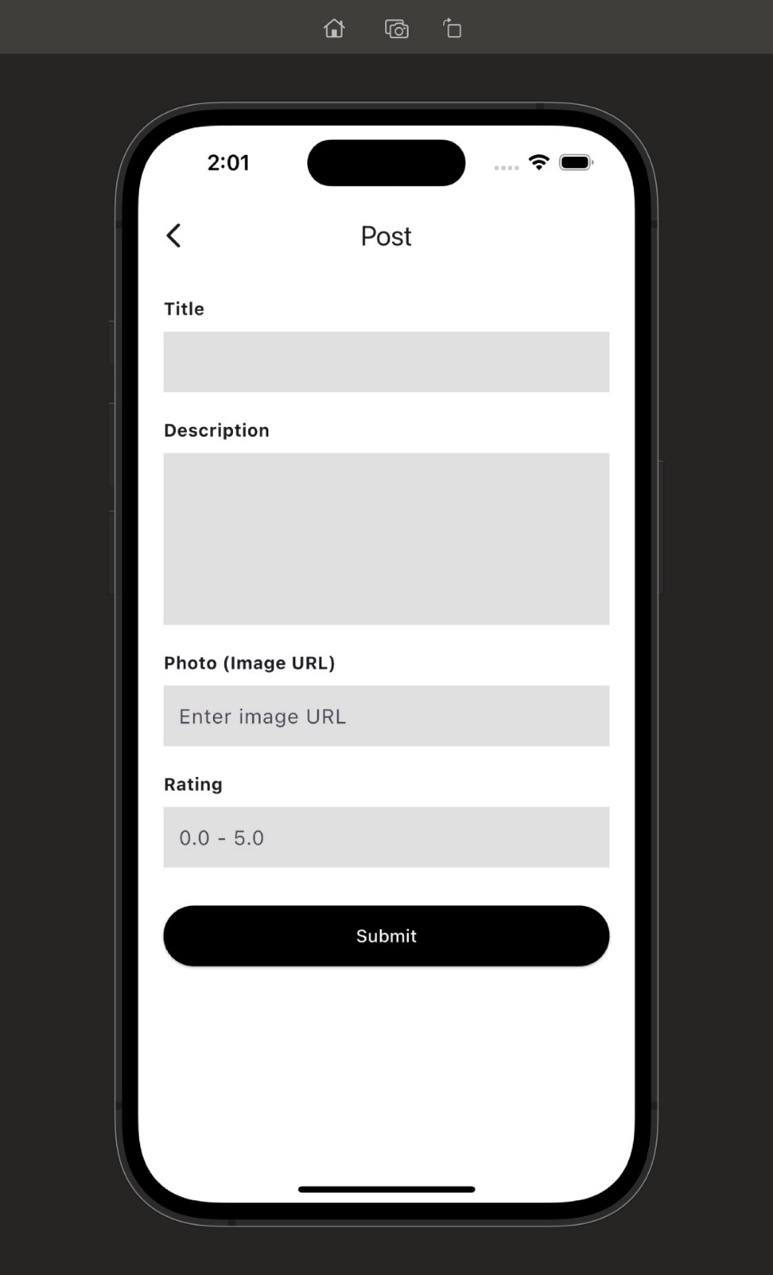
Original simulator screenshots from my April 2025 course report: signing in, browsing the feed, and creating a post. Names and ratings shown in the feed are example interface content.
 View full size ↗
 View full size ↗
 View full size ↗
Connecting screens with persisted information
The implementation uses Flutter and Dart, Firebase Authentication for accounts, and Firestore for posts. The add-item screen obtains location information and saves a post with its details and coordinates. The home screen reads posts and connects the feed with a detail screen.
That gives the interface a data flow to work around: information is entered, persisted, retrieved, and opened again. Sign-in, loading, navigation, returning from the posting screen, and signing out are part of the surrounding application behavior.
A post's path through Picky
Create
Enter the post details and obtain location information.
Store & retrieve
Persist the post in Firestore and load it for the feed.
Explore
Navigate from an item in the feed to its details.
Planning how the screens connect
The original user-flow diagram from the course report maps the intended experience, including planned chat, notification, and reservation paths. It describes the design scope; those paths are not all complete in the prototype.
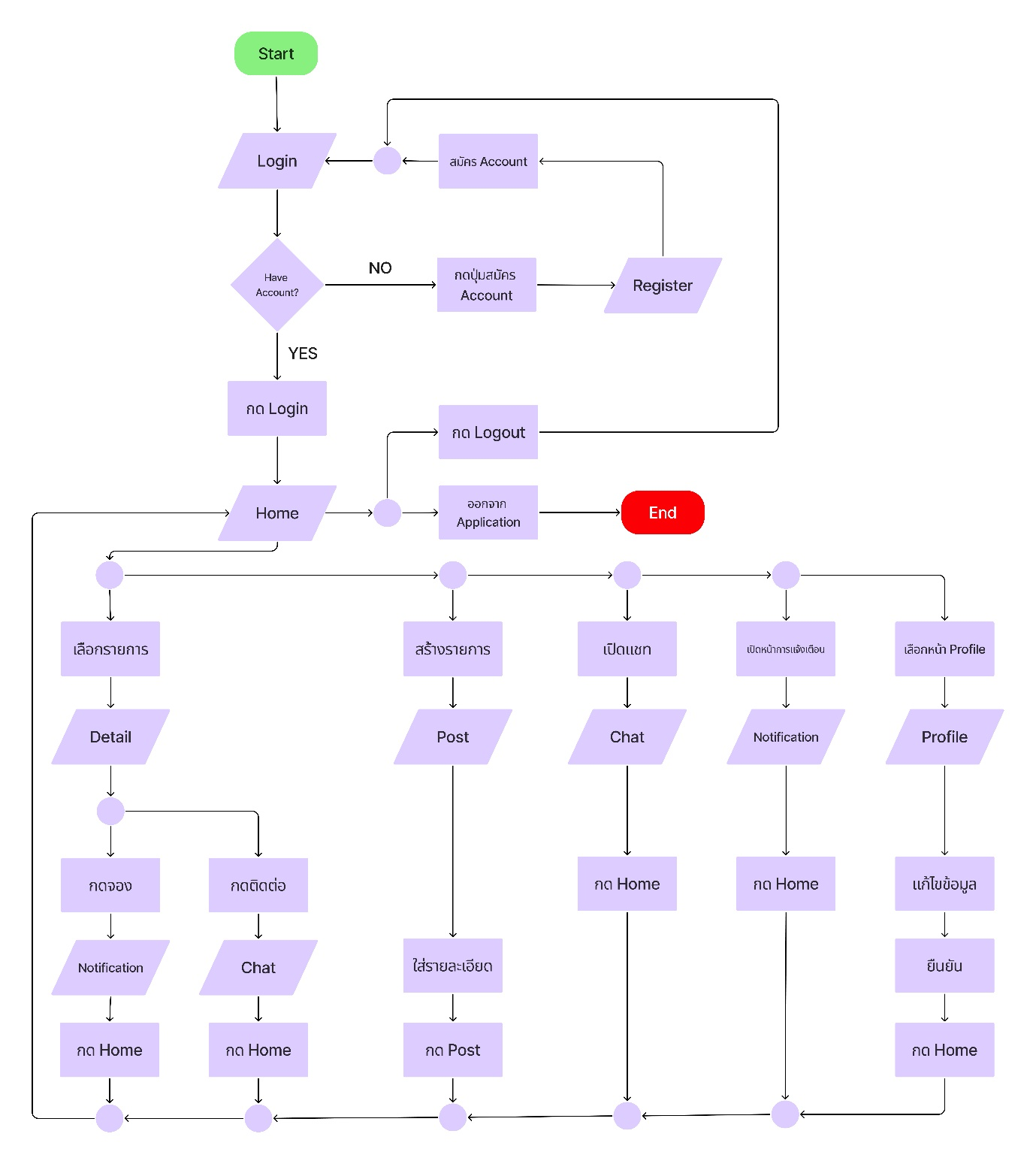 View full size ↗
What the prototype helped me work through
Building the application myself connected the visible interface with authentication, stored data, location, and navigation. It gave me a practical example of how a change in one screen affects the information another screen needs.
The course report records checks for account flows, profile changes, post creation, detail navigation, and signing out. It also lists further work, including real-time chat, the complete reservation handoff, and reward-related features. The implementation presented here remains a prototype, with those larger service flows as areas for development.